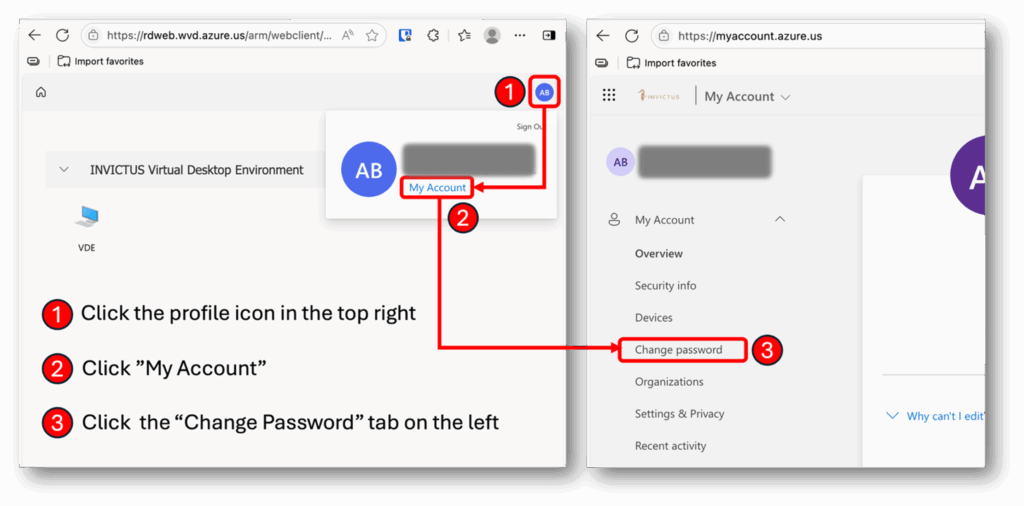


How to Update Expired Password
ERROR MESSAGE
“We couldn’t connect to the remote PC because the password associated with the user account has expired. Change your password, or ask your admin or tech support for help.”
SOLUTION
Go to https://rdweb.wvd.azure.us/arm/webclient/index.html and sign in with your current Invictus credentials.